
What VentWatch Does
One system that covers the whole job, from the first filter interval to the report your customer reads. Everything on this page is included.
How Your Equipment Is Organized
Four levels, and they match the way you already think about the work.
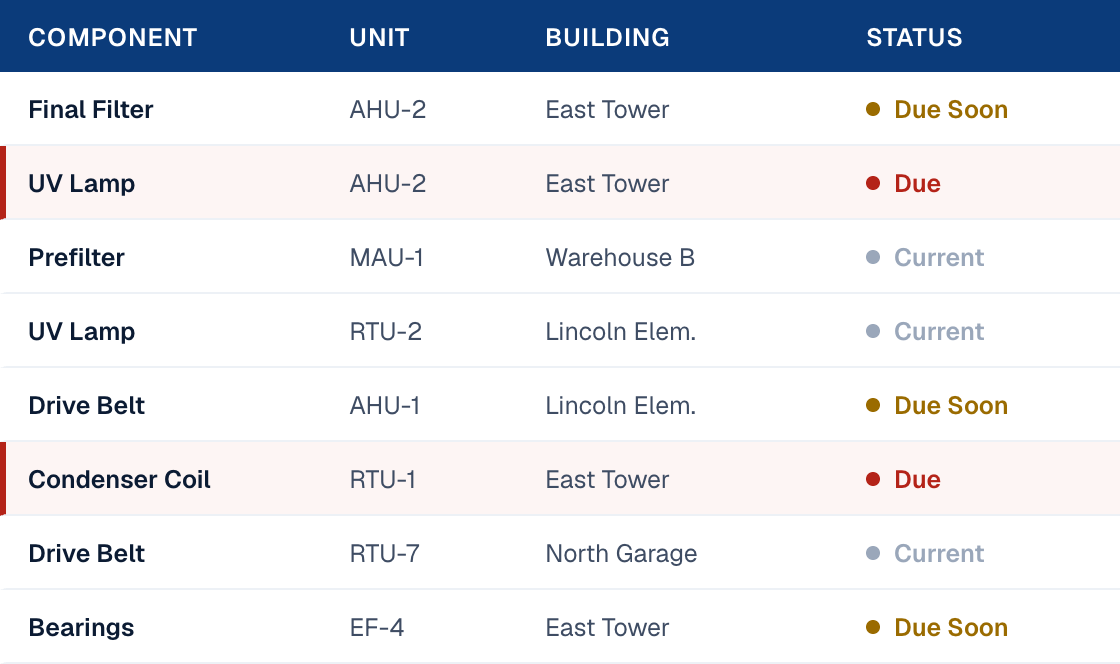
Service Planner
The screen you’ll spend the most time on. Every component in your portfolio that is coming due or already past due, in one list.
Filter by customer, building, or component type. Pull up every filter due in the next thirty days across forty sites, or everything past due at one hospital. Plan the week from it.
Three statuses: current, due soon, overdue. Nothing else to interpret.
The Schedule Keeps Itself
Every component carries its own interval. Filters every three months, belts once a year, or whatever the equipment and the site call for.
When service is logged, the next due date recalculates from that day forward. The schedule maintains itself from the work you record.
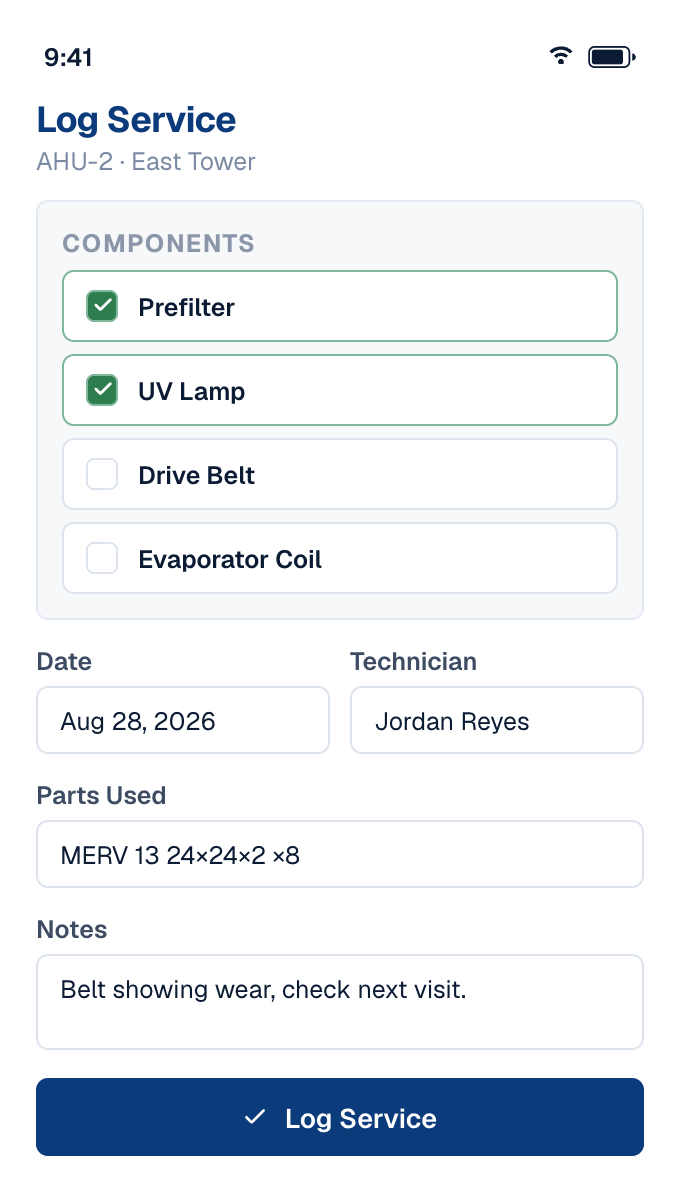
Logging Service in the Field
A tech pulls up the unit, selects the components they serviced, and enters the date, who was on the job, any parts used, and notes.
One visit can cover several components on the same unit. One log entry, and every one of them is updated.
It runs in any phone browser, with nothing to install.
QR Asset Tags
A durable sticker goes on the unit. Scan it and the unit’s record comes up: what it is, which components it has, what’s due, and everything ever done to it.
Codes are generated in batches and assigned to units in the app. Scan a code that isn’t assigned yet and it walks you through assigning it on the spot.
The fastest way to get a tech who has never been to the site up to speed on the unit in front of them.

service record 1042857
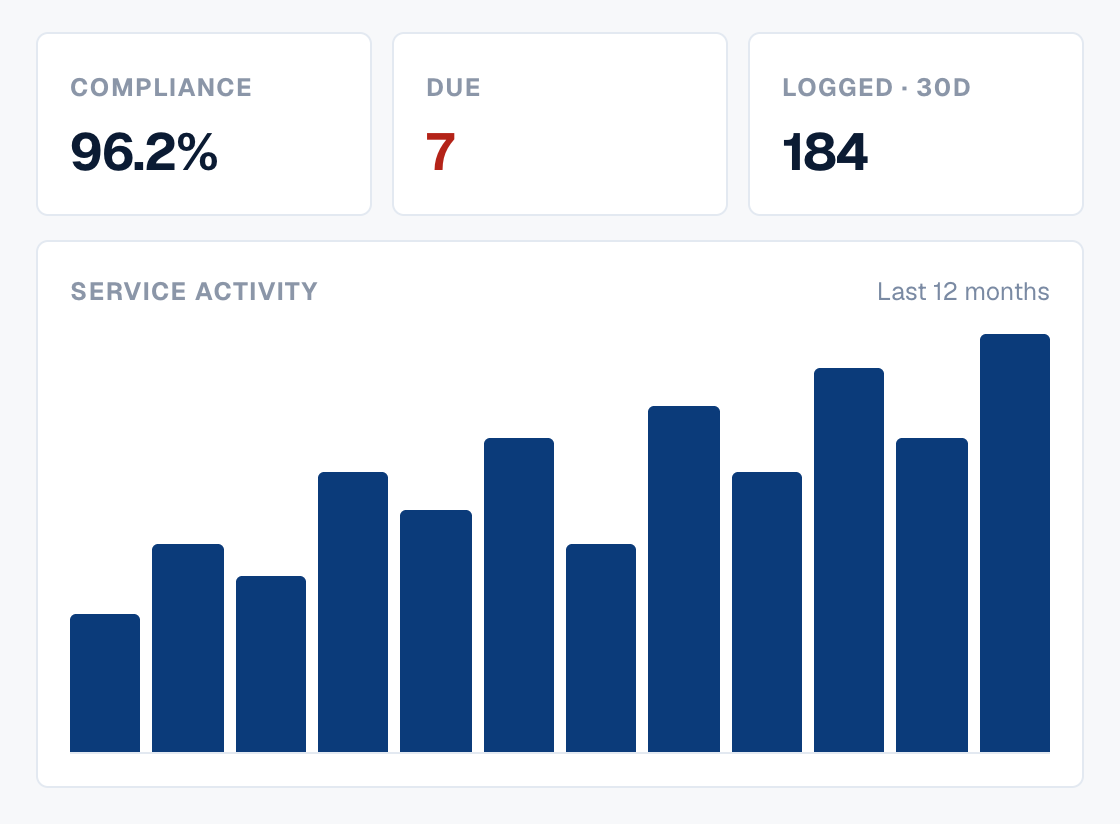
Reports
Compliance rate. What’s due and what’s past due. Service activity over time. Technician workload. Parts usage. Risk scoring on the equipment that has gone longest without attention.
Look at it on screen, or export it and hand it over.
This is the half of the job a spreadsheet can’t do well. Not knowing what you did. Showing it.
Tickets
A customer spots something in the portal, or has a question, and raises a ticket. Subject, message, and a photo if they have one.
It lands with you. You reply in the thread, they reply back, and you close it when it’s handled.
Every request stays attached to the unit it was about, so the conversation and the service record live in the same place.
Who Can Do What
Admin
Full access to equipment, service records, users, and reports. A service company admin covers every customer under them.
Technician
Logs service, scans tags, and views reports from the field. Equipment setup and user management stay with your admins.
Viewer
Read-only access to their own facility’s equipment and service history, with the ability to raise tickets when they need you.